Form Filling Automation Software Pricing Guide: What Should You Pay?
You are about to pay for form filling software and have no idea what a fair price looks like. Vendors quote per user, per form, or flat rates, then add onboarding and overage fees that never appeared in the demo. Budgeting blind gets expensive fast.
This guide breaks down how form filling automation pricing actually works, including per-user and flat-rate models, the hidden costs to watch, and Tasks.Bot's own plans at ₹200 per member monthly or ₹1,200 yearly. By the end, you will know what to pay and whether a WhatsApp-native tool fits your team.
What Is Tasks.Bot? WhatsApp-Native Form Filling and Task Automation
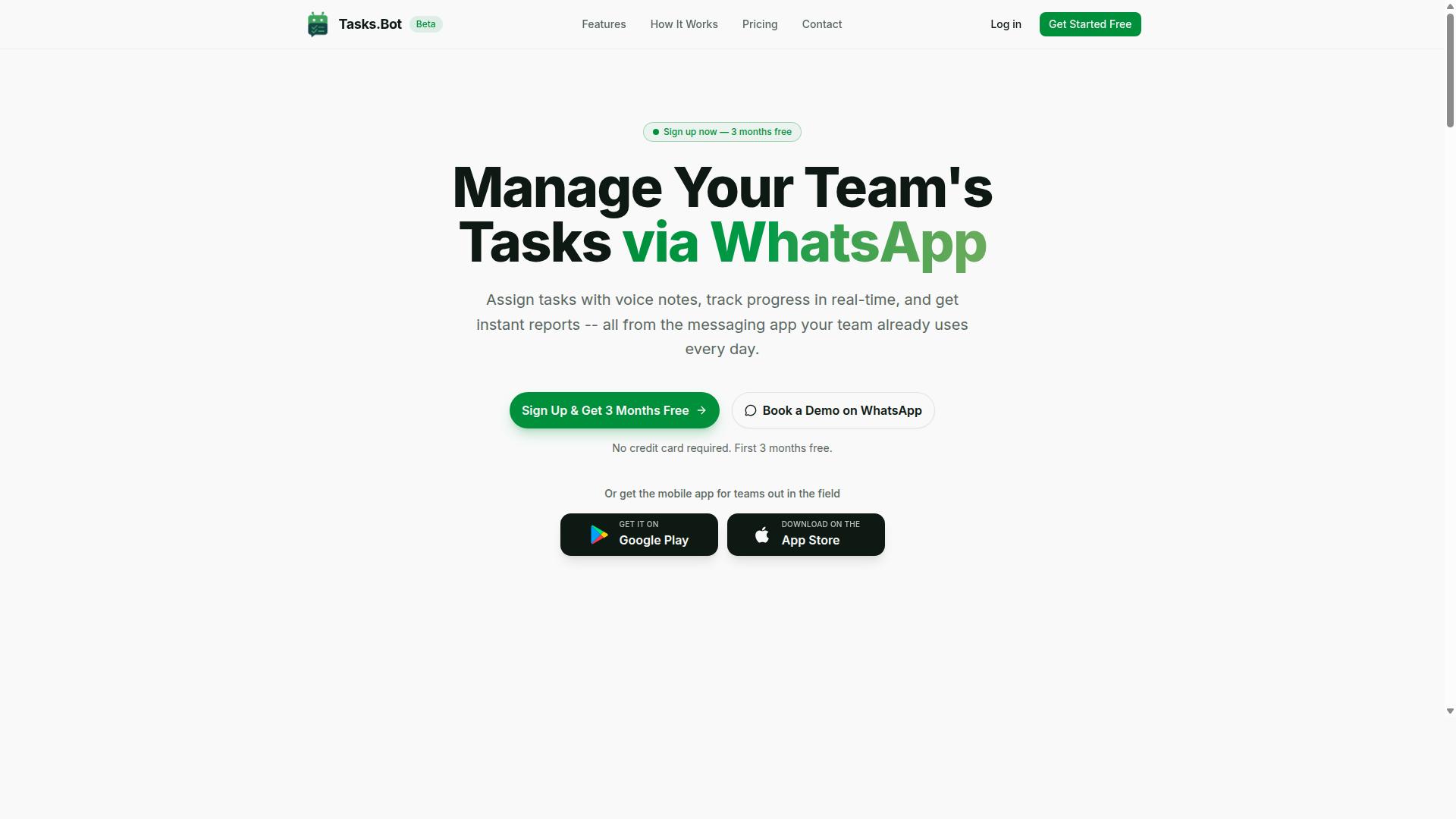
Tasks.Bot is a task management platform that operates entirely within WhatsApp, allowing teams to assign tasks, track progress, and receive reports without leaving the messaging app. For anyone weighing form filling automation costs, this matters: there is no separate dashboard to license, no browser extension to deploy, and no new interface for staff to learn.
The core idea is simple. Instead of adding another app to the stack, Tasks.Bot turns WhatsApp itself into a productivity hub. Task creation, assignment, and status updates all happen inside a conversation thread that team members already check dozens of times a day.
Tasks.Bot uses AI to understand natural language and voice notes, so a manager can describe a job the way they would speak it aloud rather than filling in structured fields. That lowers the training burden considerably, which is a real cost factor in any automation purchase. Software that nobody uses has a poor total cost of ownership no matter how modest the subscription fee looks on paper.
The platform also offers a mobile app for field teams, so workers who are away from a desk can still participate. Tasks.Bot is currently in beta and offers a free trial period, which means buyers can evaluate fit before committing budget. The site mentions hundreds of teams already using the service.
For a pricing guide, the takeaway is that Tasks.Bot sits in the SaaS category rather than the on-premise deployment world. There is no server hardware, no implementation fee tied to infrastructure, and no lengthy rollout cycle. That structure tends to keep entry costs low for small business buyers compared with traditional RPA or intelligent document processing suites.
Who Tasks.Bot Serves: WhatsApp-First Teams and Field Staff
Tasks.Bot is designed for teams that already use WhatsApp as their primary communication tool, particularly those with field staff who need task management, attendance tracking, and payroll-ready hours. These are not organizations shopping for a heavy enterprise license. They are operations that coordinate by phone today and want structure without friction.
Think about how these teams actually work. A supervisor sends a message, a worker confirms, and the job gets done. The problem is that nothing is recorded in a form anyone can report on later. Tasks.Bot addresses that gap by keeping assignment, progress tracking, and reporting inside the same familiar interface.
Field operations have specific needs that generic project tools often miss:
- Attendance tracking for staff who clock in from a job site rather than an office
- Payroll-ready hours that can feed directly into compensation without manual re-entry
- Task assignment and progress updates that survive beyond a chat scroll
- Reporting that gives managers visibility without chasing individual messages
Each of these maps to a cost line in a traditional setup. Attendance systems, time-tracking tools, and task managers are usually separate subscriptions with separate per-user pricing. Consolidating them into one platform changes the budget conversation from "how many tools" to "how many seats."
Remote and distributed crews benefit most. When a team is spread across locations, a shared messaging thread is often the only thing they reliably check. Building task management on top of that habit removes the adoption barrier that sinks many workflow automation rollouts.
For buyers comparing vendors, the practical question is whether the team will actually use the software. A tool that lives where communication already happens answers that question more convincingly than a feature checklist does. Tasks.Bot's focus on WhatsApp-first teams is a deliberate bet on that reality.
What Should You Pay for Form Filling Automation Software? The Direct Answer
There is no single price for form filling automation software; costs typically range from $10 to $100 per user per month, depending on features and scale. That spread is wide because the category itself is wide. A simple browser extension that autofills saved fields sits at the low end, while an intelligent document processing platform that reads scanned paperwork with OCR and routes it through workflow automation sits at the high end.
What you actually pay depends on how the vendor charges and how much work the tool does for you. A solo user automating a handful of web forms has very different needs from a department processing thousands of documents a month. The pricing guide below breaks down each model so you can match cost to real usage instead of guessing.
Most pricing lands in one of a few common structures:
- Per-user pricing: a flat rate for each person who logs in, easy to predict but costly as teams grow.
- Tiered plans: feature and volume limits set apart by level, with the entry tier often capped.
- Usage-based billing: charges tied to documents processed, forms submitted, or API calls made.
- Enterprise license: a negotiated annual contract for large deployments, often with onboarding and support included.
Free options exist too. A freemium tier or free trial lets you test data extraction accuracy before committing, and pay-as-you-go pricing suits occasional or seasonal work. Watch for one-time costs that sit outside the subscription: setup fees, onboarding costs, implementation fees, customization charges, and integration costs can all shift the total.
The honest answer is that the right price depends on your specific needs. A small business automating a few repetitive entries should not pay enterprise rates, and a high-volume operation should not settle for a tool that stalls on complex documents. Use the range above as a starting point, then weigh total cost of ownership against the hours the software gives back. The sections that follow explain each pricing model in detail and show how Tasks.Bot structures its own plans.
How Form Filling Automation Pricing Usually Works
Most form filling automation tools use one of three pricing models: per-user, per-form, or flat-rate, each with distinct advantages and trade-offs. Understanding which model a vendor follows is the first step in any honest form filling automation pricing guide, because the structure of a plan often matters more than the headline number.
Per-user pricing, sometimes called seat-based pricing, charges a recurring fee for every person who logs in. Per-form pricing, or usage-based billing, ties cost to volume: you pay for what you process. Flat-rate plans bundle access for a set monthly or annual figure, usually with limits tucked into the fine print.
Many vendors also soften the entry point with a freemium tier or a free trial. These let you test data extraction, OCR, or browser extension workflows before committing to a paid subscription model. Just remember that free tiers typically cap forms, users, or integrations.
Billing frequency adds another layer. Monthly billing offers flexibility, while an annual contract usually lowers the effective rate. Enterprise license agreements often combine several models at once, blending seats, volume allowances, and support into one negotiated figure.
The sections below break down each model, then cover the hidden costs that shape your real total cost of ownership.
Per-User, Per-Form, and Flat-Rate Models Explained
Per-user pricing charges a recurring fee for each team member who needs access, making costs predictable as your team grows. A typical small business plan might run around $15 per user per month, with tiered plans stepping up for advanced features like API access or workflow automation.
The appeal is simple: everyone gets full access, and budgeting is straightforward. The drawback is that occasional users still cost the same as power users, so a large team with light usage can end up overpaying. Per-user pricing suits teams with consistent, daily usage across most seats.
Per-form pricing works on a pay-as-you-go basis. You might pay $0.10 per form processed, or buy blocks of volume at a discount. This model fits low-volume, high-value documents, such as insurance claims or legal intake packets, where each submission matters more than raw throughput.
The risk is unpredictability. A sudden spike in volume can blow through your budget, and per-form rates often climb quickly once you pass entry tiers. High-volume operations usually find this model the most expensive over time.
Flat-rate pricing charges one fee regardless of users or volume, often marketed as unlimited. These plans typically start higher, sometimes several hundred dollars per month, but they remove the guesswork. They work best for large teams with steady, high volume.
Watch for fair-use clauses. Unlimited rarely means truly unlimited, and vendors may throttle or reprice accounts that exceed reasonable thresholds. Before choosing, estimate your monthly form count and user base, then compare what each model would cost at that scale.
Hidden Costs to Watch: Onboarding, Integrations, and Overage Fees
Beyond the sticker price, form filling automation software often comes with hidden costs such as onboarding fees, integration charges, and overage penalties. These extras can quietly push your total cost of ownership well above the advertised subscription rate.
Setup and onboarding fees are among the most common. A vendor might charge a one-time $500 onboarding fee to configure templates, connect your data sources, or train your team. Some bill this as a recurring implementation fee instead, so confirm which applies.
Integration costs add another layer. Connecting to a CRM, ERP, or document management system may require a paid connector, a middleware subscription, or professional services hours. API access pricing is often separate, metered by call volume rather than included in your plan.
Then there are overage fees. Exceed your plan's form limit and you might pay $0.05 per extra form, or face an automatic upgrade to the next tier. Premium support, additional storage, and customization charges for custom fields or branded templates follow the same pattern.
To protect your budget:
- Request a detailed written quote that lists every fee, not just the base rate
- Ask whether onboarding, integrations, and API access are included or billed separately
- Clarify what happens when you exceed usage limits, and whether overages are billed or throttled
- Compare all-inclusive plans against modular pricing, since bundles often cost less overall
- Negotiate annual contract terms, as vendors frequently waive setup fees to close a longer commitment
Budget planning gets easier once you map these costs against expected volume. A plan that looks cheap per seat can become expensive once integrations and overages are counted, while a higher flat rate may deliver better ROI at scale.
Tasks.Bot Pricing: Full Access Plan in ₹ and $
Tasks.Bot offers a single 'Full Access' plan with all features included, priced in both Indian Rupees and US Dollars for global accessibility. There are no confusing tiers to compare and no feature gates to decode. One plan, one price per member, and everything the platform offers is available from day one.
This approach stands out in a market where tiered plans are the norm. Many form filling automation tools split capabilities across Starter, Pro, and Enterprise levels, forcing buyers to guess which tier they actually need. Tasks.Bot removes that guesswork entirely.
Pricing is structured as a per-member subscription, which keeps costs predictable as your team grows. The site includes a 'Select currency' option with Indian Rupee and US Dollar choices, so users should verify their preferred currency during checkout. This matters for budget planning, since currency selection affects the final amount charged.
For teams evaluating total cost of ownership, a single all-inclusive plan simplifies comparison shopping. There are no hidden upgrade paths to factor in later, and no risk of outgrowing a lower tier mid-project. The next sections break down the exact billing options and the free trial that lets you test everything first.
Monthly vs Annual Billing: ₹200/Member/Month or ₹1,200/Year (Save 50%)
Tasks.Bot's monthly plan costs ₹200 per member per month, while the annual plan is ₹1,200 per member per year, effectively giving you 50% savings. Run the math and the annual option works out to just ₹100 per month per member. That is half the cost of paying month to month.
The savings are straightforward. Over a full year, a team on monthly billing pays ₹2,400 per member. The annual plan cuts that to ₹1,200 per member, saving ₹1,200 annually for each seat. For a small business with even a handful of members, those savings add up quickly.
Which option fits your situation depends on commitment level:
- Monthly billing suits teams testing the waters or running short-term projects with shifting headcount
- Annual billing rewards teams committed to long-term use with the full 50% discount
- Per-member pricing means you only pay for the seats you actually need
The annual plan makes the most sense for teams that have already validated their workflow and plan to keep using form filling automation consistently. If your usage is steady and predictable, the annual contract delivers the same feature set at half the effective rate. Monthly billing remains the safer pick for teams still evaluating fit or managing fluctuating workloads.
3 Months Free, No Credit Card Required - Try Before You Pay
Tasks.Bot offers a 3-month free trial with no credit card required, allowing teams to test the full platform before committing financially. That is an unusually generous window compared to typical SaaS trials, which often last only 7 to 14 days and demand payment details upfront.
The no-credit-card requirement removes a real barrier. Teams can explore the complete feature set, run their own documents through the system, and judge results without any financial risk. If the tool does not fit, there is nothing to cancel and nothing to dispute.
Two details add further confidence. The service is currently in beta, meaning early users get access while the product continues to develop. The site also mentions a refund policy in the footer, giving paying customers an additional layer of protection after the trial ends.
For anyone weighing form filling automation costs, this trial structure makes evaluation genuinely low-stakes. Three months is enough time to measure real productivity gains, test different document types, and decide whether the per-member subscription fits your budget. Teams can also cancel anytime, so there is no lock-in pressure during the trial period. The smart move is to start the trial, run it against your actual workload, and let the results guide the decision rather than a sales pitch.
Key Features That Justify the Price
Tasks.Bot packs a robust set of features that streamline task management and field operations, making it a cost-effective solution for WhatsApp-first teams. When you compare subscription costs against the hours saved on manual coordination, the value becomes clear.
The platform operates entirely within WhatsApp, so team members do not need to install anything or create new accounts. That single design choice removes onboarding friction and keeps adoption costs low, which matters when you are weighing an annual contract or per-user pricing against your budget.
Every feature below is included in the Full Access plan, so there are no hidden add-ons or surprise implementation fees to account for during budget planning.
For teams evaluating total cost of ownership, the calculation is straightforward: fewer tools to buy, less training time, and faster task completion. Tasks.Bot also provides a 3-month free trial with no credit card required, giving decision-makers room to test the ROI before committing to a paid tier.
Voice Note Task Creation, Automations, and Instant Reports
Tasks.Bot uses AI to let users create tasks via voice notes, automate assignments, and generate instant reports, all within WhatsApp. A team member simply sends a voice message, and the AI understands the intent and converts it into a structured task.
Automations handle the repetitive work that usually eats into a manager's day. Tasks can be assigned automatically, and smart deadline reminders keep work moving without manual follow-up. Approvals and automations round out the workflow so nothing stalls in a queue.
Instant reports give managers real-time visibility into what has been completed and what is pending. Instead of chasing status updates, they can review progress as it happens and act on it immediately.
These capabilities directly reduce manual entry and administrative overhead. For a small business comparing seat-based pricing across vendors, the time saved on data entry and status chasing often outweighs the subscription cost itself. The apps for Android and iOS add push notifications and voice capture, so the same workflow follows the team wherever they are.
Face-Verified Attendance, GPS Tracking, and Payroll-Ready Hours
For field teams, Tasks.Bot offers face-verified attendance, GPS tracking, and payroll-ready hours to ensure accurate time and location logging. Team members check in with a selfie, and AI verifies the match before the entry is accepted.
GPS tracking confirms location during check-ins or task completion, which gives managers confidence that work is happening where it should be. Tasks on a map and the live day tracker build on this by showing activity across the field in one view.
Hours are calculated automatically and exportable for payroll, removing the manual reconciliation that typically consumes admin time each pay cycle. This is where the ROI argument becomes tangible: fewer disputes over logged time, less time theft, and a cleaner handoff to payroll.
Shifts, leave, and hours management are included alongside these tools, so scheduling and attendance live in the same place. For businesses weighing usage-based billing or a flat monthly fee, consolidating attendance and payroll prep into one plan avoids stacking separate subscriptions. Enterprise-grade encryption protects the underlying data, and conversations and task data are never shared or used for training.
Who Should Use Tasks.Bot - and Who Shouldn't Pay for It
Tasks.Bot is ideal for WhatsApp-centric teams with field staff, but it may not be the best fit for organizations that don't use WhatsApp or need complex project management. Since form filling automation pricing only pays off when the tool matches how your team actually works, self-qualifying before you commit to any subscription model matters more than chasing the lowest cost.
The brand's own description points to a specific audience: teams that use WhatsApp for communication, particularly those with field staff who need task management, attendance tracking, and payroll-ready hours. Hundreds of teams already use the service, which suggests the fit is proven for that profile rather than theoretical.
If that sounds like your operation, several signals suggest Tasks.Bot is worth the spend.
- WhatsApp is your primary channel. If daily coordination already happens in WhatsApp groups, adding a separate platform creates friction. Tasks.Bot meets teams where they already communicate.
- You have field or remote workers. Staff spread across sites are harder to supervise directly. Attendance tracking and task management built for that reality reduce the guesswork.
- You need attendance and task tracking together. When hours feed into payroll, payroll-ready hours become a real operational need, not a nice-to-have.
- You want a cloud-based SaaS tool, not a project. A subscription model with no on-premise deployment suits small and mid-sized teams that lack IT staff for a heavy rollout.
For these groups, the value is straightforward. You are not paying for features you will never open. You are paying for coordination, attendance, and payroll-ready hours in one place, which is what a sensible total cost of ownership calculation should reward.
Just as important is knowing when not to pay. Several profiles should look elsewhere before spending on any tier of plan.
- Teams that don't use WhatsApp. If your communication runs on other platforms, the core advantage disappears. You would be paying for a fit that isn't there.
- Teams needing advanced Gantt charts or resource management. Tasks.Bot is built around task management, attendance, and payroll-ready hours, not complex project scheduling or resource allocation across large programs.
- Very large enterprises with custom requirements. Organizations needing bespoke workflows, deep integrations, or unusual compliance setups are usually better served by a vendor built for custom enterprise licenses.
- Anyone shopping purely on price. A freemium tier or free trial can help you test fit, but choosing a tool only because it is cheapest often raises the real cost later through workarounds.
The honest summary: Tasks.Bot rewards teams whose working style already matches its design. If you coordinate through WhatsApp, manage field or remote staff, and need attendance plus task tracking in a single cloud-based system, the subscription is easy to justify. If you need heavyweight project planning or enterprise-grade customization, no discount on the wrong tool is a saving. Match the tool to the team first, then negotiate the price.
Final Verdict: Is Tasks.Bot Worth the Price?
At ₹200 per member per month or ₹1,200 per year, Tasks.Bot delivers strong value for WhatsApp-first teams seeking to automate task management and field operations. That works out to roughly ₹100 per member each month on the annual plan, which sits comfortably below what many per-user pricing models charge for comparable workflow software. For a small business, the numbers stay predictable from month one.
The pricing structure itself is one of the clearest signals of value. There are no setup fees, no implementation charges, and no separate onboarding cost to budget for. The subscription model is simple: pay per member, choose monthly or annual billing, and get started. That transparency makes budget planning straightforward, which matters when software costs often hide in integration fees or customization charges.
Weighing the pros and cons honestly, the case looks like this:
- Affordable entry point: ₹200 per member per month keeps the commitment low for small teams.
- Annual discount: ₹1,200 per year rewards teams ready to commit and lowers the effective monthly rate.
- Free trial: teams can evaluate the software before paying anything.
- WhatsApp-first design: built for teams already working through WhatsApp, not adapted to it afterward.
- No setup or onboarding fees: the advertised price is the price.
- Limitation: teams with no WhatsApp-based workflow may find the core value less relevant.
- Limitation: organizations needing heavy customization or enterprise-grade deployment options should confirm fit before committing.
The verdict depends on who you are. For small businesses and field teams that run on WhatsApp, the combination of low per-user pricing, a free trial, and an annual contract discount makes Tasks.Bot worth the cost. The total cost of ownership stays low because there are no hidden fees layered on top. For teams outside that audience, the tool may simply be unnecessary, and that is a fair conclusion too.
Anyone weighing the decision can start with the free trial or book a demo to see the platform firsthand. Reach the team by phone at +91 97143 42522 or by email at [email protected]. For WhatsApp-first operations, the price is easy to justify. The trial removes the risk of finding out.
Frequently Asked Questions
How is Tasks.Bot priced compared to other form filling automation software?
Tasks.Bot keeps pricing simple with a single 'Full Access' plan that includes all features, rather than tiered packages that lock capabilities behind higher prices. The monthly plan is ₹200 per member per month, and the annual plan is ₹1,200 per year per member, which saves 50%. Pricing is available in both Indian Rupees and US Dollars, so you can compare it directly against whatever quote you receive from other vendors.
What exactly do I get for the price?
Every Tasks.Bot plan is 'Full Access,' meaning all features are included with no upsells for core functionality. That covers task management via WhatsApp, voice note task creation, automatic task assignment, smart deadline reminders, approvals and automations, instant reports, tasks on a map, and live day tracking. Since team members work inside WhatsApp, there's nothing extra to install or new accounts to create.
Do I pay per form, per submission, or per user?
Tasks.Bot charges per member, not per form or per submission, so your costs stay predictable as usage grows. The monthly plan is ₹200 per member per month, and the annual plan is ₹1,200 per year per member. If your team size is stable, this makes budgeting straightforward compared to tools that meter every submission.
Is there a free trial or demo before I commit?
Tasks.Bot offers a 'Book a Demo on WhatsApp' option so you can see how the platform works before paying. The service is currently in beta, and the website footer mentions a refund policy. Booking a demo is the fastest way to confirm the current pricing and whether the per-member model fits your team.
What hidden costs should I watch for in form filling automation pricing?
Common hidden costs in this category include per-submission fees, charges for extra integrations, onboarding or setup fees, and price jumps when you exceed a usage cap. Tasks.Bot avoids most of these by charging a flat per-member rate with all features included, and by running inside WhatsApp so there's no new software for your team to adopt. Always ask vendors to quote your real monthly volume, not just the entry-level tier.
Does Tasks.Bot work for field teams, and does that affect the price?
Yes, Tasks.Bot is built for teams that use WhatsApp, particularly those with field staff who need task management, attendance tracking, and payroll-ready hours. It includes face-verified attendance, tasks on a map, and live day tracking, plus a mobile app for field teams. These capabilities are part of the same Full Access plan, so field-friendly features don't cost extra per member.