A Practical Guide to Automation Builder for Ecommerce Stores
Your store answers the same order-status question forty times a day. Every unanswered WhatsApp message is a sale that quietly walks to a competitor, and your team cannot type fast enough to stop it. An automation builder fixes that, but only if you set it up around how your customers actually buy. For a closer look at the options in this space, see Whatsapp Business API.
This guide shows you what an automation builder really does for an ecommerce store, how to map your customer journey before you build anything, and which integrations, triggers, and channel coverage to check. You will get step-by-step flows for order confirmations, shipping updates, abandoned carts, and payment reminders, plus how to run WhatsApp, Instagram, and Messenger through one flow and test what you build.
What an Automation Builder Actually Does for an Ecommerce Store
An automation builder replaces repetitive manual tasks with event-driven workflows that run 24/7, so your team can focus on growth instead of order updates. At its core, it is a no-code or low-code platform that connects the apps you already use and moves data between them based on rules you define.
The building blocks are simple. A trigger is the event that starts a workflow, such as a new order or a status change. An action is what happens next, like sending a message, tagging a customer, or updating a record. String a few of these together and you have a working process that no one has to remember to run.
Consider a single order placed in Shopify. The moment it lands, the builder can fire off a confirmation email, adjust inventory counts, and ping the warehouse system with the details. No copy-pasting, no spreadsheet updates, no one checking whether the message actually went out.
That matters because manual order handling is where small mistakes compound. A missed inventory sync leads to overselling. A delayed shipping notice leads to a support ticket. Automation removes those gaps by making every step happen the same way, every time.
Most builders support conditional workflows, meaning a rule can branch based on the data it receives. A high-value order might route to a senior rep, while a standard one flows through untouched. This is rule-based automation doing the sorting work that would otherwise eat into someone's afternoon.
Connection happens through webhook integration and API connectivity, which is how the builder talks to third-party apps. Whether your store runs on WooCommerce, BigCommerce, Magento, Wix ecommerce, or Squarespace, the principle holds: the platform listens for an event, then acts.
Some tasks are not tied to a single event at all. Scheduled tasks handle things like daily inventory reconciliation or a weekly customer segmentation refresh. Together, event-driven triggers and scheduled jobs cover most of the routine work a store generates.
Key Automation Types: Order Updates, Cart Recovery, and Support Triage
Three automation categories deliver the highest ROI for ecommerce stores: transactional order updates, abandoned cart recovery, and intelligent support triage. Each one follows the same trigger-action logic, and each can be built with no-code automation, no developer required.
Order updates keep customers informed without anyone touching a keyboard. The trigger is an order status change, and the action sends a shipping notification through SMS and email at the same time. If a package is delayed, a conditional workflow can send a follow-up with revised timing.
This is where fulfillment automation earns its keep. Inventory sync, shipping updates, and post-purchase follow-up all pull from the same order data, so the customer sees one consistent story rather than three disconnected messages.
Cart recovery targets the revenue that quietly slips away. The trigger fires when a cart sits abandoned for one hour. The first action sends a personalized email, and a second message follows by SMS after 24 hours. Personalization can draw on browsing history or past purchases to make the nudge feel relevant rather than generic.
Timing and sequencing matter more than volume here. A cart abandonment email that arrives too fast can feel intrusive, while one that arrives too late loses the moment. Building the sequence once means it runs the same way for every shopper.
Support triage keeps your inbox from becoming a bottleneck. The trigger is a new support message, and the action uses keyword detection to route it to the right team while sending the customer an instant acknowledgment. Someone asking about a return goes to returns. Someone reporting a damaged item goes to claims.
Each of these three builds on the same foundation: a trigger, a condition, and an action. Start with one, confirm it behaves the way you expect, then layer in the next.
Mapping Your Store's Customer Journey Before You Build
Before building any automation, map every customer touchpoint from first visit to post-purchase follow-up to identify where automation adds the most value. A journey map turns a vague list of ideas into a clear blueprint that your Automation Builder can actually execute.
Skipping this step usually leads to duplicate messages, missed handoffs, and workflows that fire at the wrong moment. A mapped journey keeps every trigger-action pair grounded in a real customer moment rather than a guess about what might work.
The five stages below cover the full lifecycle for most ecommerce stores. Each one carries its own automation opportunities, and each opportunity should connect to a specific trigger, action, and channel before you build anything.
- Awareness: a welcome email series introduces the brand and sets expectations for new subscribers.
- Consideration: an abandoned browse follow-up nudges shoppers who viewed products but did not add to cart.
- Purchase: order confirmation and shipping updates keep buyers informed from checkout to delivery.
- Retention: a post-purchase review request turns a completed order into social proof.
- Advocacy: a referral program invite encourages repeat buyers to bring in new customers.
Not every stage deserves equal attention at launch. Prioritize quick wins first: cart recovery and order updates tend to be the simplest workflows to configure and the fastest to show value. These rely on clear event-driven triggers, like a cart abandonment event or an order status change, which most platforms such as Shopify, WooCommerce, or BigCommerce expose through native integrations or webhook integration.
Once those basics run reliably, expand into more nuanced flows. Conditional workflows, such as sending a different follow-up based on whether a first-time or returning customer made the purchase, add personalization without adding manual work. Customer segmentation at this stage helps you avoid sending the same message to everyone.
Use the table below as a starting template. Fill in each row with your own triggers and channels, then hand it to whoever configures the Automation Builder. A no-code or low-code platform can usually support every row here without custom development.
| Stage | Trigger | Action | Channel |
|---|---|---|---|
| Awareness | New subscriber signup | Send welcome series | |
| Consideration | Product viewed, no add to cart | Send browse follow-up | Email, SMS |
| Purchase | Order placed | Send confirmation and shipping updates | Email, SMS |
| Retention | Order delivered | Request a product review | |
| Advocacy | Positive review submitted | Send referral invite | Email, push notification |
Keep the map visible as you build. When a workflow underperforms, the map shows whether the problem sits in the trigger, the message, or the timing. That makes rule-based automation easier to debug and easier to improve over time.
Choosing the Right Automation Builder
Selecting an automation builder requires balancing ease of use, integration depth, and scalability against your store's specific needs and budget. A tool that looks impressive in a demo may fall short once real order volume, multiple sales channels, and a growing team enter the picture.
Start by counting native integrations with your ecommerce platform. A builder that connects directly to Shopify, WooCommerce, or BigCommerce through a maintained integration will save far more setup time than one relying on custom code. Native connections also tend to break less often when platforms update their APIs.
Next, examine trigger and action variety. Basic event-driven triggers such as order created or cart abandoned are table stakes. Look for conditional workflows, rule-based automation, and scheduled tasks that let you branch logic based on customer history, order value, or inventory status.
Pricing deserves careful reading. A low monthly fee can hide costs for extra team seats, premium integrations, or higher task volumes. Compare total cost of ownership at your expected scale, not just the entry tier.
Finally, consider specialization. Some platforms focus on ecommerce stores and ship with prebuilt flows for abandoned cart recovery, shipping updates, and post-purchase follow-up. General-purpose tools offer broader app coverage but often require more manual configuration for retail use cases. Weigh which trade-off suits your operation.
Checklist: Integrations, Triggers, and Channel Coverage
Use this checklist to evaluate any automation builder: does it connect natively to your ecommerce platform, support the triggers you need, and reach customers on their preferred channels? Score each builder against every item, then pick the one that meets at least 80% of your requirements.
- Native ecommerce integrations: Shopify, WooCommerce, BigCommerce, Magento, Wix ecommerce, Squarespace
- Event-driven triggers: order created, cart abandoned, payment failed, shipment updated
- Channel coverage: email, SMS notifications, push notifications, messaging apps
- Webhook integration and API connectivity for custom or in-house systems
- Conditional workflows and rule-based automation with branching logic
- Scheduled tasks for time-based actions such as drip campaigns or inventory sync
- Order management and fulfillment automation actions, including shipping updates
- Customer segmentation and email marketing automation support
- Third-party apps for CRM, helpdesk, and analytics tools
- No-code automation interface, with low-code platform options for advanced users
Score each criterion from zero to two, where zero means missing, one means partial or workaround required, and two means fully supported out of the box. This simple tally turns a vague comparison into a clear decision.
Pay close attention to the items you marked partial. A workaround through webhook integration may be fine for a technical team, but a store without developers will feel that gap daily. Task automation should reduce manual work, not create new maintenance chores.
Revisit the checklist once a year. Ecommerce platforms change, channel preferences shift, and a builder that scored well at launch may lag as your store adds channels or markets.
Setting Up Your First Ecommerce Automations Step by Step
Start with two high-impact automations, order confirmation/shipping updates and abandoned cart recovery, to quickly demonstrate value and build momentum. These two flows cover the most common customer touchpoints and are the easiest to implement in any automation builder.
Begin with a simple trigger-action pair. One event starts the workflow, and one action responds to it. This keeps your first build small enough to verify quickly.
Once that works, layer in conditional workflows and delays. A condition checks whether something is true, such as an order still being unfulfilled, before the next step runs. A delay pauses the flow for a set period.
Always test with real orders before going live. Place a test purchase, watch each step fire, and confirm the messages arrive as expected. Detailed steps for both flows follow below.
Order Confirmation and Shipping Update Flows
Build an order confirmation flow that triggers immediately when an order is placed and sends a branded email with order details, then follows up with shipping updates via SMS and email.
- Connect your ecommerce platform. Link Shopify, WooCommerce, BigCommerce, Magento, Wix ecommerce, or Squarespace to the automation builder. This connection usually relies on API connectivity or a webhook integration.
- Create an "Order Created" trigger. This event-driven trigger fires the moment a customer completes checkout.
- Add a send-email action. Use dynamic fields for the order number, item list, and total so each message is personalized.
- Add a one-hour delay, then a condition. Check whether the order is still unfulfilled. If it is, send an internal alert to your team.
- Create a second trigger for "Order Fulfilled." Send a shipping confirmation with a tracking link by both email and SMS.
- Test with a real order. Confirm every step runs in the right sequence.
Use conditional workflows to handle partial shipments or backorders. Route those orders down a separate branch so customers receive accurate updates instead of a generic message. This kind of rule-based automation keeps order management consistent as volume grows.
Abandoned Cart and Payment Reminder Sequences
Recover lost revenue with a three-step abandoned cart sequence: a reminder email after 1 hour, a follow-up with a discount after 24 hours, and a final SMS reminder after 72 hours. Cart abandonment email flows work best when each message adds something new.
- Trigger when a cart is abandoned. Set the condition to no purchase after one hour.
- Send the first email. Include the cart contents and a clear call to action.
- Delay 23 hours, then check again. If there is still no purchase, send a second email with a discount offer.
- Delay 48 hours, then send an SMS. Repeat the offer with a sense of urgency.
For payment failures, build a separate flow. Send an email with a payment link, then a reminder after 12 hours. Keep this sequence distinct from cart recovery so the messaging stays relevant.
Personalize with the customer name and product recommendations drawn from browsing history. Exclude recent purchasers so buyers do not receive cart reminders for items they already bought. Customer segmentation and drip campaigns help here, and SMS notifications or push notifications can extend reach when email goes unopened.
Connecting WhatsApp, Instagram, and Messenger in One Flow
Unify customer conversations across WhatsApp, Instagram, and Messenger into a single automation flow to ensure consistent messaging and faster response times. Each channel carries its own API, its own message format, and its own rules, yet customers expect the same quality of service no matter where they write. An automation builder bridges that gap by treating every incoming message as a trigger, regardless of its source.
The practical starting point is API connectivity. WhatsApp connects through the WhatsApp Business API, Instagram through the Instagram Messaging API, and Messenger through the Facebook Messenger API. Each connection requires authentication tokens and permissions approved by the platform, so setup is usually a one-time task handled inside the automation platform's channel settings.
Once connected, all three feeds can route into one shared workspace. That workspace is often called a unified team inbox, and it lets support staff see every conversation in a single queue instead of juggling separate apps.
- WhatsApp Business API: handles template messages, order updates, and SMS-style notifications.
- Instagram Messaging API: captures direct messages, story replies, and comment-to-DM triggers.
- Facebook Messenger API: covers page inbox messages, click-to-Messenger ads, and post comments.
Some platforms offer native multi-channel support without separate integrations, which reduces setup work and keeps message history in one place. Others rely on webhook integration to push events from each channel into the automation engine. Either approach works, but native support tends to simplify maintenance when platform APIs change.
Here is a common example. A customer messages on Instagram asking, "Where is my order?" The flow recognizes the intent, looks up the order status through your ecommerce backend, and replies automatically with tracking info. If the lookup fails or the customer asks for something outside the script, the same flow creates a support ticket and assigns it to a human agent.
Triggers make this possible. Event-driven triggers fire when a message arrives on a specific channel, while conditional workflows check message content, keywords, or customer history before deciding the next step. A rule-based automation might send tracking details for shipping questions but escalate refund requests to a person.
Channel-aware routing matters too. A WhatsApp message may need a template reply because of platform rules, while an Instagram DM can use a free-form response. Building these distinctions into the flow keeps you compliant and avoids rejected messages.
For ecommerce stores on Shopify, WooCommerce, BigCommerce, Magento, Wix ecommerce, or Squarespace, the same logic applies. Order management systems expose APIs that the automation builder queries in real time, so replies reflect live fulfillment status rather than stale data. When the order ships, a scheduled task or webhook can push a shipping update back through the original channel.
Start with one channel, prove the flow works, then add the others. That staged approach keeps debugging manageable and lets your team adjust message tone before scaling to every inbox.
Com.bot's Automation Builder for Ecommerce: What It Offers and Pricing
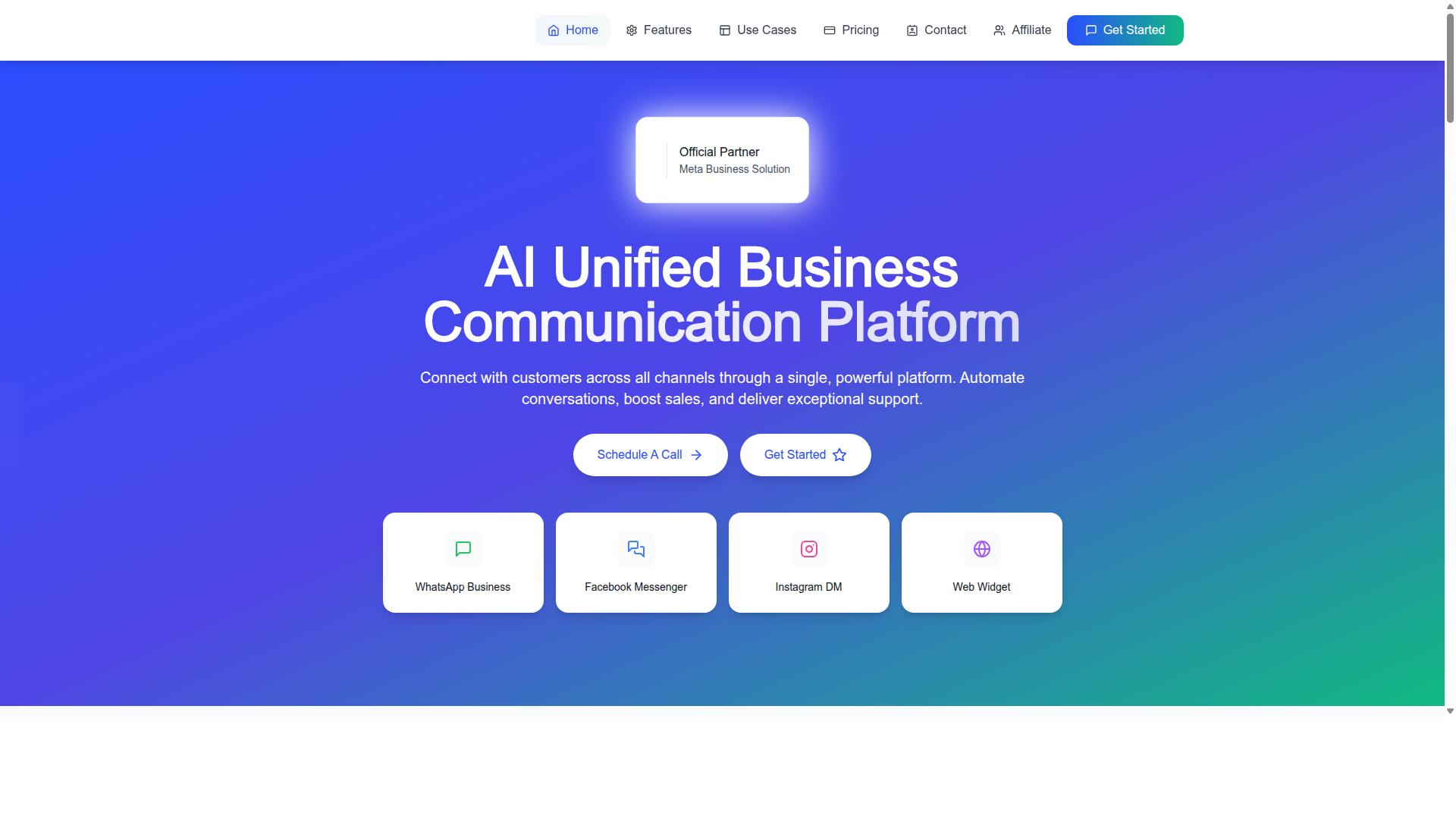
Com.bot provides an AI-powered unified business communication platform with a visual bot builder that connects WhatsApp, Facebook Messenger, Instagram DM, and web widgets to automate ecommerce workflows. For online sellers, that combination matters because most buying conversations now start in messaging apps rather than email inboxes.
The platform is built around WhatsApp Business API integration, which lets stores run verified business messaging at scale instead of relying on a personal phone number. A unified team inbox then keeps customer chats from every connected channel in one place, so support agents and sales staff are not switching between apps to answer the same shopper.
On the automation side, the visual bot builder uses a drag-and-drop interface. Store owners can map out conversation paths and rule-based automation without writing code, which keeps no-code automation within reach for small teams that lack a developer.
Com.bot also supports native payments for WhatsApp transactions, allowing a shopper to move from product question to checkout inside the chat. Multi-channel support extends the same bot logic across WhatsApp, Messenger, Instagram DM, and web widgets, so a single workflow can serve customers wherever they prefer to talk.
Com.bot operates as an official Meta Business Partner, which matters for stores that need enterprise security and compliant API access rather than unofficial workarounds. The company reports serving customers in 50+ countries with 23,000+ active customers.
Pricing Plans and Add-ons
Com.bot prices its plans quarterly in USD. The structure is straightforward enough that a store can estimate its cost before committing to an annual contract.
| Plan | Price | Notes |
|---|---|---|
| Silver | $149 per quarter | Entry tier |
| Gold | $349 per quarter | Recommended plan |
| Platinum V1 | $2500 per quarter | Highest tier |
Gold is the recommended option, which suggests it covers the needs of most growing ecommerce operations. Platinum V1 sits at the top of the range for larger businesses with heavier messaging volume or more complex requirements.
Beyond the base plans, several add-ons are available at $10 per month each. These cover an additional team member, an extra social channel, external actions per 5000, bot triggers per 25000, and an ecom store. Dedicated support is billed separately by the hour: WABA, CRM, and Inbox support at $49 per hour, and Ecommerce, Bots, and Automations support at $99 per hour.
One pricing detail worth noting for budgeting: WhatsApp messaging is charged at actual Meta rates with no markup. That keeps conversation costs tied to Meta's published pricing rather than a reseller premium.
When comparing this against other automation builders, weigh the plan fee against how much of your order management, abandoned cart recovery, and post-purchase follow-up you can move into chat. A store handling a high volume of pre-sale questions often recovers the quarterly cost through faster responses alone.
Testing, Measuring, and Improving Your Automations
Treat every automation as a hypothesis: test with real data, measure key metrics like open rates and conversion, and iterate based on performance. An automation builder gives ecommerce stores the power to run entire workflows without manual effort, but that power only pays off when each workflow is proven to work as intended. A cart recovery sequence, an inventory sync rule, or a post-purchase follow-up email is only as good as the results it produces.
Testing before launch protects your customer experience. A broken trigger or a misconfigured conditional workflow can send the wrong message to the wrong segment, or fail silently while orders pile up.
Sandbox modes let you run a workflow without touching live customer data. Most platforms include a test or draft state for exactly this purpose. Use it to confirm that event-driven triggers fire correctly and that each action lands where you expect.
Next, send test orders through the full path. Place a sample order, abandon a test cart, or trigger a shipping update, then watch what happens at every step. This catches gaps that a static preview cannot show.
Finally, check the logs. Error logs reveal failed webhook integration calls, rejected API connectivity requests, or actions that timed out. Review them after every test run, not just when something visibly breaks.
Once an automation is live, define the metrics that tell you whether it is working. Different automation types need different yardsticks.
| Automation Type | Primary Metric | What It Reveals |
|---|---|---|
| Abandoned cart recovery | Cart recovery rate | Whether the sequence brings shoppers back to complete checkout |
| Email or SMS campaigns | Click-through rate | Whether the message and offer motivate action |
| Landing or offer flows | Conversion rate | Whether the full path from click to purchase holds up |
| Support workflows | Support response time | Whether customers get answers fast enough to stay satisfied |
Track these numbers on a consistent schedule. A metric that looks fine in isolation often tells a different story when compared week over week.
Improvement comes from deliberate variation. A/B testing lets you change one element at a time and see what actually moves the needle.
- Subject lines: Test urgency against curiosity, or a question against a plain statement.
- Discount amounts: Compare a small incentive against free shipping to learn what your audience values.
- Timing: Test whether a cart abandonment email performs better one hour or one day after the trigger.
Run each test long enough to gather meaningful data, and change only one variable per round. Otherwise you cannot tell which adjustment caused the shift.
Failures deserve the same attention as wins. Set up alerts for failed runs so a broken workflow surfaces within minutes rather than days. Then review analytics weekly, comparing current results against the previous period and against your baseline.
A simple framework keeps this cycle organized: Plan, Do, Check, Act (PDCA).
- Plan: Define the goal, the trigger-action logic, and the metric you expect to move.
- Do: Build the workflow, test it in sandbox mode, and launch it to a limited segment first.
- Check: Review the logs and the key metrics after a set period.
- Act: Keep what works, adjust what does not, and standardize the improved version.
This loop turns rule-based automation from a set of one-time setups into a system that gets sharper over time. Scheduled tasks, drip campaigns, and customer segmentation rules all benefit from the same discipline.
For ecommerce stores running on platforms like Shopify, WooCommerce, BigCommerce, Magento, Wix ecommerce, or Squarespace, the volume of daily events makes manual review impractical. A repeatable testing and measurement habit, supported by no-code automation or a low-code platform, keeps order management, inventory sync, and fulfillment automation reliable as your store grows.
Common Mistakes That Break Ecommerce Automation Flows
Avoid these frequent pitfalls: over-automating without human oversight, ignoring edge cases, and failing to maintain your integrations. Most broken workflows are not caused by bad tools. They are caused by small oversights that compound quietly until customers notice the problem before you do.
The good news is that every one of these mistakes has a straightforward fix. Below are the most common offenders, paired with practical solutions you can apply inside your Automation Builder today.
1. Not excluding recent purchasers from cart recovery. A shopper who abandons a cart and then completes a purchase minutes later should never receive a "you left something behind" message. Add a filter that checks for a completed order before the abandoned cart recovery sequence fires. This single condition prevents one of the most irritating experiences in ecommerce.
2. Building conditional logic that nobody can untangle. Nested if-then branches feel powerful at first. Six months later, no one on your team can safely edit them. Keep conditional workflows shallow, split complex journeys into separate automations, and document what each branch is supposed to do.
3. Forgetting to maintain API keys and webhooks. Platforms rotate credentials, deprecate endpoints, and change payload formats. When that happens, silent failures begin. Schedule a recurring reminder to review API connectivity and webhook integration health, and set up failure alerts so you learn about breakage from a log, not a customer complaint.
4. Sending too many messages. Cart reminders, shipping updates, post-purchase follow-up, SMS notifications, and push notifications can stack up fast. Cap the number of messages a customer receives per week, and let engagement signals decide who gets more. Over-messaging is one of the fastest routes to unsubscribes.
5. Testing only on desktop. Most email and SMS opens happen on phones. A layout that looks clean in a desktop preview can break in a mobile inbox. Always preview every message on a real device before publishing a flow.
6. Skipping personalization. Generic blasts underperform messages that reference a customer's name, recent browsing, or past orders. Use customer segmentation data already flowing through your store to tailor content. Even a first-name merge and a product recommendation can lift response rates.
Use this checklist to audit your existing automations:
- Does every cart abandonment email exclude customers who already purchased?
- Can a new team member understand each conditional workflow in under five minutes?
- Are API keys and webhooks reviewed on a fixed schedule?
- Is there a weekly message cap per customer across all channels?
- Has every template been previewed on a mobile device?
- Does each message include at least one personalized element?
- Do failure alerts notify someone when a workflow stops running?
- Are old or duplicate automations archived so they cannot fire unexpectedly?
Run this audit quarterly. Small corrections at each step keep your workflow automation reliable, your customers receptive, and your team confident that the systems behind your ecommerce store are working as intended.