8 CTR Tools for Affiliate Marketers as SearchSEO Alternatives
Affiliate marketers switch CTR tools when screenshots stop matching the clicks they paid for. If your current platform hides visit proof or locks you into one device type, you cannot tell real search activity from a bot counter. That uncertainty costs commissions.
This guide breaks down eight CTR tools, starting with what to check for proof, targeting, and pricing. You will get a clear comparison of campaign types and a concrete #1 pick, so you can match a tool to your affiliate goals and decide with confidence.
What to Look For in CTR Tools for Affiliate Marketers
Affiliate marketers evaluating CTR tools should prioritize three criteria: verifiable proof of each click, precise geo and device targeting, and transparent per-visit pricing. These pillars separate tools that deliver measurable click-through rate optimization from those that only promise it.
Affiliate accounts are fragile. A campaign that inflates CTR through risky methods can trigger platform penalties, lost rankings, or outright bans. The right tool helps you improve SERP snippet performance without putting your properties in danger.
Proof matters because affiliate revenue depends on real clicks from real searches, not simulated traffic. Targeting matters because a visit from the wrong country or device skews your metrics and wastes credits. Pricing matters because margins on affiliate offers are thin, and small per-visit differences compound fast across hundreds of campaigns.
Keep these three pillars in mind as you compare each option in this list of SearchSEO alternatives. A tool that is strong on two counts but weak on the third usually costs more than it saves.
Proof, Targeting, and Pricing Factors
When comparing CTR tools, demand screenshot proof for every visit, confirm you can target by country and device, and calculate the effective cost per visit from the credit system. Anything less leaves you guessing about what you actually paid for.
On proof, look for separate search and landing screenshots with visible timestamps. The search screenshot should show your target query, your position in the results, and the snippet as it appeared. The landing screenshot confirms the click actually reached your page. Without both, you cannot verify that a visit was real.
On targeting, check the depth of the filters. Basic tools may only offer country selection, while stronger options support state or city level narrowing plus desktop and mobile toggles. Keyword position targeting is equally important. Ask whether the tool can restrict visits to specific positions, such as the top 100 or top 10 results, so your click-through rate optimization stays realistic.
On pricing, convert everything to a per-visit figure. Credit systems often charge different rates for desktop and mobile visits, so a headline credit price can hide the true cost. Compare tools on this basis:
- Credits consumed per desktop visit versus per mobile visit
- Whether credits expire and how quickly
- Minimum purchase size and refund terms
- Reporting quality included at each price tier
Be wary of any tool that lacks transparent reporting. If you cannot export logs, view visit history, or audit screenshots after the fact, you have no way to measure results or resolve disputes. Reliable reporting is also what lets you run competitor analysis over time, spotting which title tag optimization and meta description optimization changes actually moved your click-through rate.
Finally, treat proof, targeting, and pricing as one package. A tool with cheap credits but vague proof is a false economy, and a tool with excellent screenshots but no device filters will distort your organic traffic data. Score each option against all three pillars before you commit budget.
1. CTRTool - Best Overall
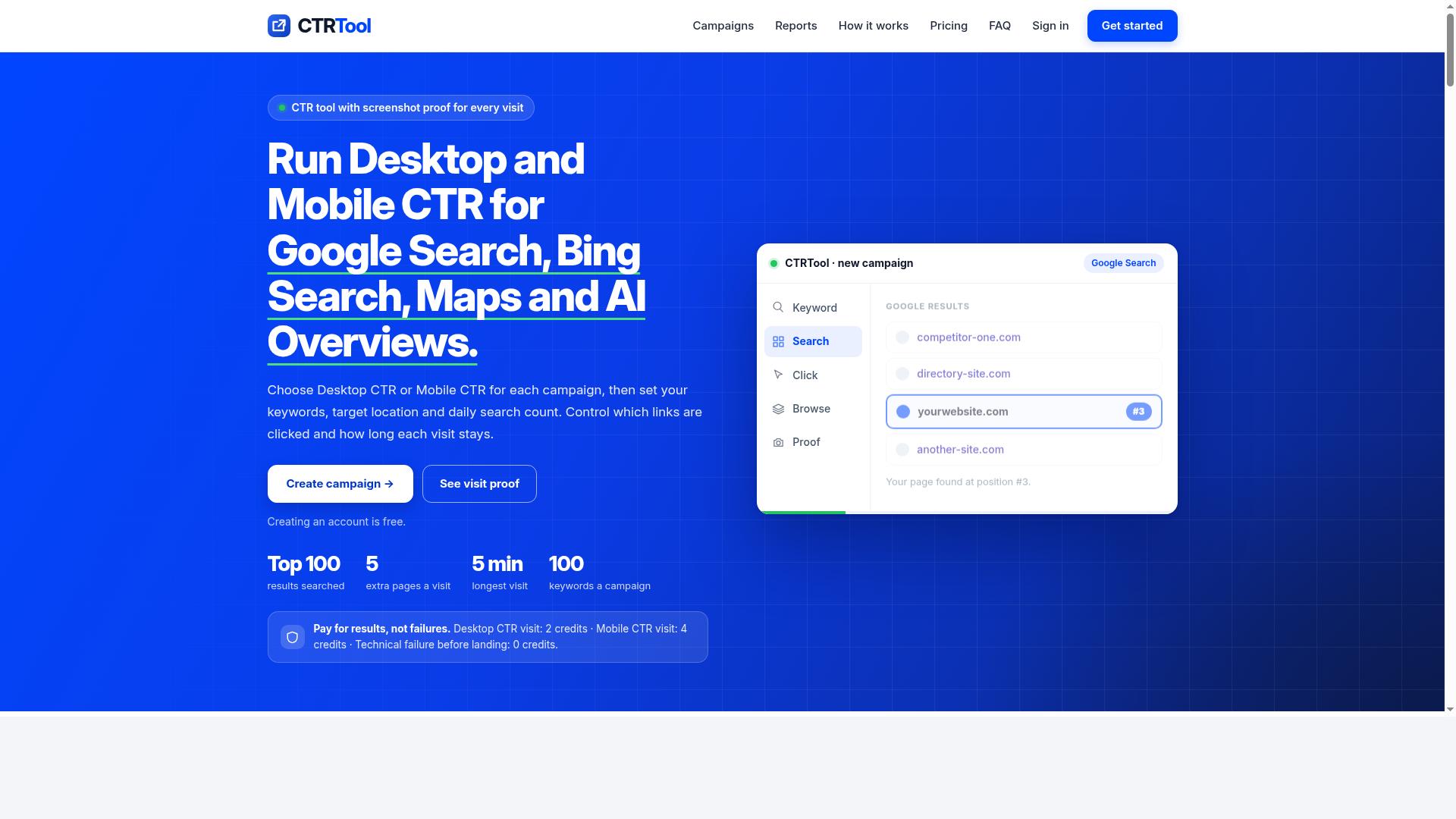
CTRTool earns the top spot for affiliate marketers because it combines screenshot proof for every visit with flexible campaign types across Google, Bing, Maps, and AI Overviews. Few SearchSEO alternatives offer that pairing of verifiable proof and campaign breadth in one place.
Instead of asking you to trust a dashboard number, the tool returns separate search and landing screenshots for each visit. That makes it easier to show clients or track your own campaigns with confidence.
You can run campaigns on Google Search, Bing Search, Google Maps, and AI Overviews, and choose desktop or mobile targeting per campaign. The details of each campaign type, the proof reports, and the pricing sit in the next section.
Campaign Types, Screenshot Proof, and Pricing
CTRTool offers four campaign types, Google Search CTR, Bing Search CTR, Google Maps CTR, and AI Overview CTR, each with desktop or mobile targeting and screenshot proof for every visit. Here is how each one works:
- Google Search CTR: enter a search keyword and click the organic result. Supports top 100 results and internal pages.
- Bing Search CTR: the same keyword and organic click flow, run on Bing.
- Google Maps CTR: find the business listing and click its website link, checking up to 50 listings with city targeting.
- AI Overview CTR: find your website in the overview and click its source link, with matching required.
Each campaign supports up to 100 keywords, search depth up to 100, and daily search counts with timing controls. Visits can include up to five additional pages and run up to five minutes total.
Proof is the standout feature. Every visit generates separate search and landing screenshots, plus full visit paths. Reports also track keyword positions over time, covering Search positions, Maps listing order, and AI citation order.
Targeting is global, with country, state, city, or Any country options. One requirement matters: the page must appear in the top 100 organic results for the chosen keyword and location.
Pricing is straightforward:
| Plan | Price | Credits | Visit Capacity |
|---|---|---|---|
| Starter | $59/month | 2,000 | Up to 1,000 Desktop or 500 Mobile visits |
| Growth | $125/month | 5,000 | Up to 2,500 Desktop or 1,250 Mobile visits |
Delivery runs through Desktop Chrome windows and real Android phone sessions matched to the target location through managed proxy routes. The site advises starting with tier links, PBNs, and test properties, and using CTR on main sites with caution.
2. TrafficBotPro
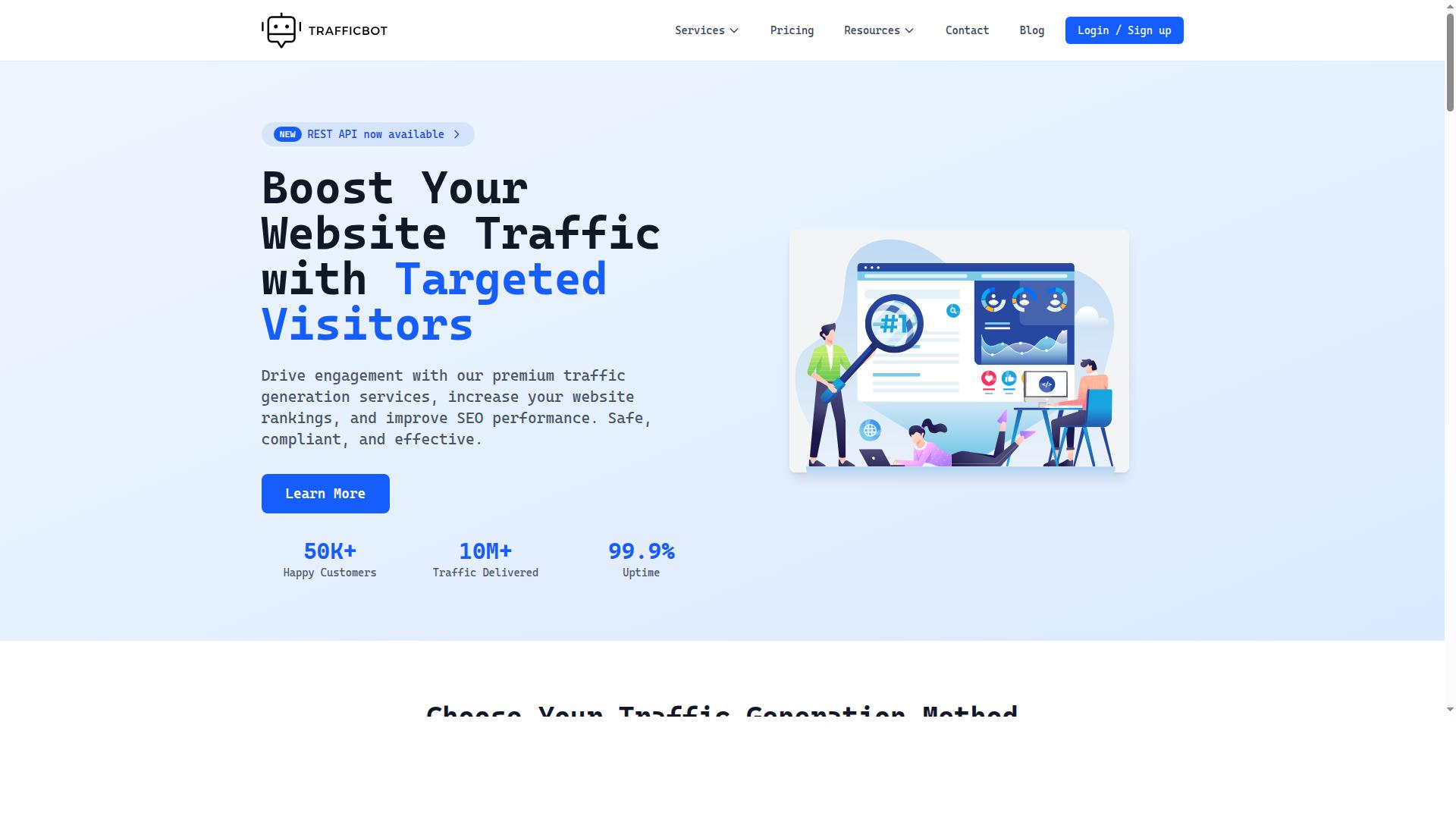
TrafficBotPro is a CTR tool that simulates organic traffic to improve search rankings, but affiliate marketers should verify its proof and targeting capabilities. Public information about the product is thin, so treat marketing claims with caution and confirm the details yourself before committing budget.
The tool is generally presented as offering automated traffic generation through customizable campaigns. In practice, that means setting up a campaign with your target parameters and letting the software deliver visits on a schedule.
Typical features in this category include proxy support, user-agent rotation, and scheduling. These elements matter because visits that look identical or arrive in unnatural bursts are easier for platforms to filter out.
Before spending on any plan, run a small test campaign and ask for screenshot or log proof of the visits delivered. That single step tells you more than any feature list.
- Limited proof of visits: reporting may be vague, so confirm what evidence you receive.
- Less transparent pricing: check exactly what each tier includes before paying.
- Varying targeting options: geo, device, and referrer controls may differ by plan.
These drawbacks do not make the tool unusable. They simply mean due diligence should come before any long-term commitment, especially for affiliate marketers who depend on clean traffic data.
3. SerpClix
SerpClix uses a network of real users to perform searches and click results, making it a popular choice for CTR manipulation. Rather than relying on bots or automated scripts, the platform routes tasks to people who manually type a keyword into a search engine and then click a designated URL.
That human element is the core selling point. Because a real person performs each search and click, the resulting activity can appear more natural to search engines than traffic generated by software. For affiliate marketers testing click-through rate optimization on competitive keywords, that distinction matters.
SerpClix supports both Google and Bing, which covers the two engines most affiliate campaigns depend on. Campaigns can also be targeted by country and by device, so marketers can aim clicks at a specific geographic market or separate desktop and mobile behavior.
This targeting is useful when an offer converts differently across regions or when mobile versus desktop intent diverges. Instead of a single broad campaign, you can shape delivery around the audience you actually want to reach.
Verification is one of the weaker points of the model. Proof of activity is typically limited to click reports rather than screenshots or session recordings, so marketers see confirmation that a click was logged but not visual evidence of how the search was performed.
For affiliate marketers who like to audit every step of a campaign, that gap can feel uncomfortable. It means trusting the platform's reporting rather than inspecting the raw behavior behind each click.
Pricing generally follows either a per click model or a subscription arrangement, depending on how you buy. Because the research available for this tool does not confirm current rates, check the vendor's own page before budgeting a campaign.
The per click structure can suit small tests, while a subscription tends to make more sense for ongoing campaigns with steady volume. Either way, factor the cost per click into your expected return before scaling.
- Human clickers: real users perform searches and clicks, which can look more natural than automated traffic.
- Engine coverage: supports Google and Bing.
- Targeting: country and device level options.
- Proof: click reports rather than screenshots.
- Pricing: per click or subscription, with current rates best confirmed on the vendor site.
The biggest risk is inconsistent quality from human clickers. A person may search slowly, click the wrong result first, or abandon the page quickly, and that variability can undercut the natural appearance the model is meant to deliver.
Affiliate marketers should weigh that unpredictability against the appeal of human behavior. Run a small campaign first, review the click reports closely, and only expand if the results match what your organic traffic goals require.
4. CTR Booster
CTR Booster is a WordPress plugin that aims to improve CTR by automatically inserting internal links and related posts, but it does not generate external visits. It is best understood as an on-page optimization tool, not a traffic generation service.
That distinction matters for affiliate marketers comparing it to SearchSEO alternatives. The plugin works on visitors who are already on your site, encouraging them to click deeper into your content. It cannot send new searchers to your pages or influence how often your listings appear in the search engine results page.
Its main features focus on keeping readers engaged once they arrive:
- Automatic internal linking that connects related pages without manual editing
- Related posts displayed near the end of articles to prompt another click
- Call-to-action insertion that places promotional prompts inside your content
For affiliate marketers, these features support click-through rate optimization on the page itself. A well-placed call to action or a relevant related post can move a reader toward an affiliate link they might otherwise have missed.
What CTR Booster will not do is directly influence search rankings through external clicks. It does not simulate searches, deliver visits from the search engine results page, or affect how Google evaluates your SERP snippet. Any ranking movement you see after installing it would come from improved engagement signals or better content structure, not from external click activity.
This makes it a useful companion rather than a standalone solution. Affiliate marketers can pair it with a dedicated traffic or CTR campaign tool to cover both sides of the equation: bringing visitors in and guiding them through your pages once they land.
Keep claims realistic when evaluating it. On-page improvements tend to show up as better session depth and more affiliate link clicks from existing readers. They are unlikely to replace the visibility gains that come from title tag optimization, meta description optimization, and structured data that earn rich snippets.
Treat CTR Booster as one layer of a broader strategy. Use it to tighten content optimization and internal navigation, then rely on a separate tool for the external traffic side of your funnel.
5. SERP Empire
SERP Empire offers automated CTR campaigns with a focus on keyword rank tracking and competitor analysis. It sits in the same category as SearchSEO, giving affiliate marketers another option for simulating search and click activity on their target keywords.
The tool is built around automated search and click simulations, with campaign scheduling and rank tracking features aimed at keeping steady activity on chosen terms. Affiliate marketers running several offers at once can organize campaigns by keyword set rather than handling each search manually.
SERP Empire may provide screenshot proof or detailed reports on campaign activity, though readers should verify these claims directly before subscribing. Public listings offer limited detail, so confirm reporting quality and proof formats during any trial period.
Targeting options generally include country and device settings, which help align simulated searches with the markets and devices your affiliate offers serve. Pricing tiers are not consistently published across review sites, so check the vendor's current plans before committing to a subscription.
The tool suits affiliate marketers managing multiple campaigns, but it requires careful monitoring. A BlackHatWorld discussion grouped SERP Empire with other CTR manipulation tools where users reported the tools "did 'work'" yet felt the ROI was not there, and one user warned such activity can harm site credibility and risk search engine penalties. Slashdot lists SERP Empire under network traffic generators alongside tools like Traffup, with no user reviews or ratings shown. Treat results as unproven and track outcomes closely.
6. Traffic Creator
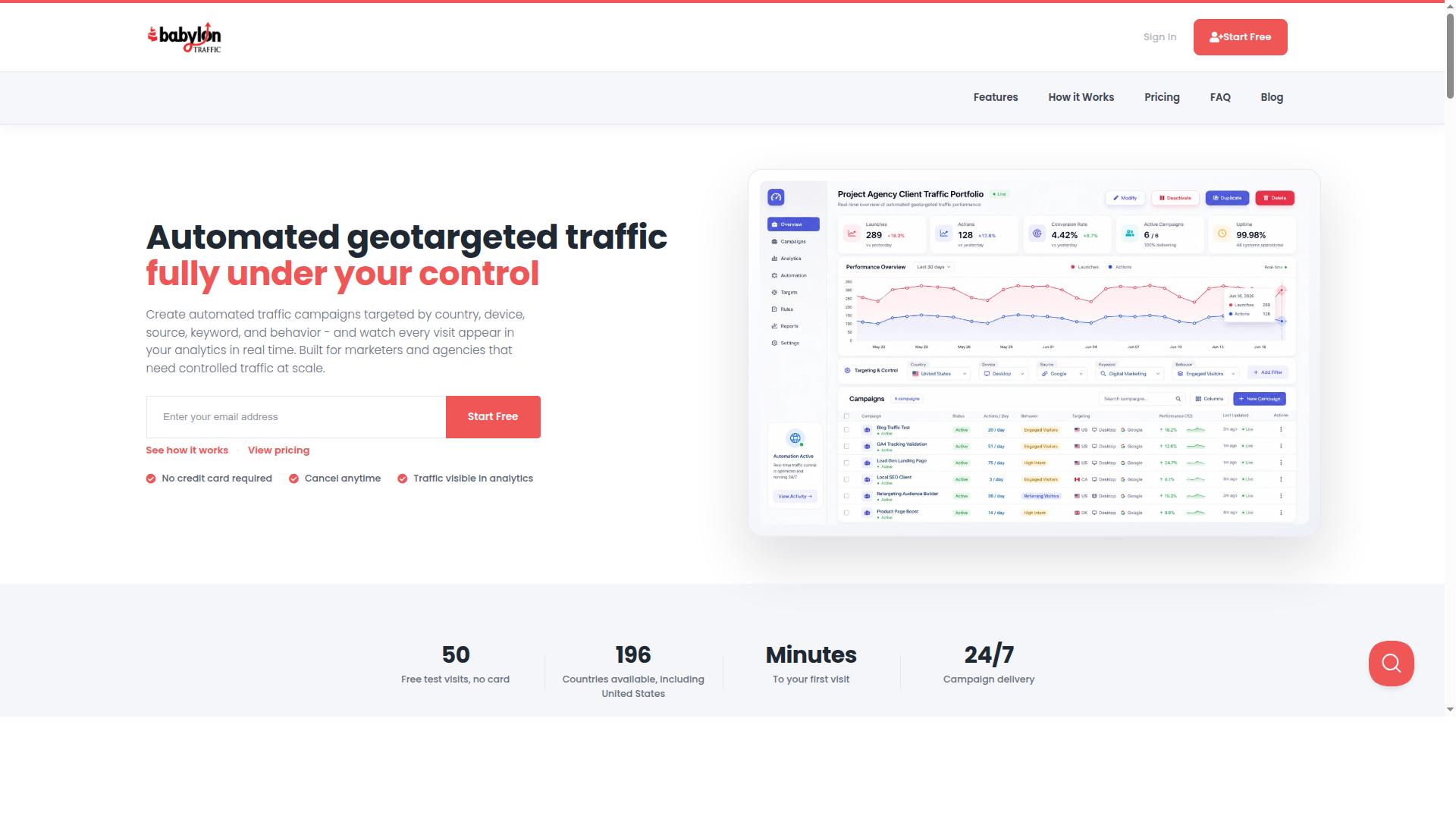
Traffic Creator is a CTR tool that emphasizes organic traffic generation through simulated user behavior, including searches and clicks. Affiliate marketers comparing it against SearchSEO alternatives should understand how this category of tool is typically configured, and where the risks sit.
Campaign setup in this type of tool usually begins with keyword targeting, where you enter the search terms you want visits to originate from. Many setups also include device selection, so traffic can be routed through desktop or mobile profiles to mirror a natural audience mix.
Beyond targeting, the typical feature set includes several mechanics worth knowing before you commit any budget:
- Proxy rotation to vary the source of each visit
- Time-on-site simulation to make sessions look less mechanical
- Bounce rate reduction by pairing a click with a short session rather than an instant exit
On reporting, expect visit logs as the main proof of activity. Screenshots of ranking movement are less commonly provided, so treat any claimed uplift with caution and verify results through your own rank tracking.
Pricing for Traffic Creator is not documented in the public source reviewed here, so check the vendor's own page before budgeting. A sensible approach for affiliate marketers is to start with a small test budget and measure impact on rankings and organic traffic before scaling anything.
One important caveat: public documentation of this tactic frames faked searches and clicks as a violation of Google's machine-generated traffic policy. That can invite manual actions or ranking drops, and it also pollutes your analytics with data that is hard to separate from real visitors. Treat any CTR tool in this category as a higher-risk option and weigh it against the compliance concerns.
7. ClickSEO
ClickSEO focuses on improving search rankings by simulating clicks from targeted locations, with an emphasis on SEO software integration. It is a CTR bot that sends organic search clicks to a site in an effort to raise click-through rate and support Google rankings.
The tool simulates real user behavior by targeting keywords directly on Google SERPs. Rather than generating traffic from arbitrary sources, the clicks are aimed at the queries an affiliate marketer is trying to rank for. That makes it a closer fit for CTR work than a general traffic bot.
According to public information, ClickSEO also reports improvements to session duration, bounce rate, and page views. These are engagement signals that can matter alongside raw click volume. The tool is positioned for SEO professionals, agencies, and service providers, as well as newer sites seeking initial rankings and local businesses working on GMB exposure.
For affiliate marketers, the appeal is straightforward. If a page sits on page two with a strong title tag and meta description but weak click volume, targeted click campaigns may help it gain traction. The geo-targeting angle also suits campaigns aimed at specific countries or regions.
ClickSEO's public feature set outlines a few areas worth checking before you commit:
- Geo-targeting and device targeting for clicks aimed at specific locations and devices
- Keyword-level targeting on the search engine results page
- Compatibility with major analytics tools, so visit data flows into your existing reporting
- Possible rank tracking and competitor analysis features, though details are not fully documented
The rank tracking and competitor analysis elements are worth confirming directly with the vendor. Public materials do not spell out how deep those features go. Treat them as questions for a trial rather than settled capabilities.
One practical caveat: proof of visits may be limited to reports. If you need granular, verifiable click logs, ask what the reporting actually shows before relying on it for client work or paid campaigns.
Pricing is not publicly stated for ClickSEO, so you will need to request current rates from the vendor. When you do, compare the model against how you actually run campaigns. A flat monthly fee suits steady keyword sets, while usage-based pricing fits seasonal affiliate pushes better.
Also weigh compatibility with your existing SEO stack. If your workflow already depends on a particular rank tracker or analytics suite, confirm the integration works before you pay. A tool that sits outside your stack adds manual export work and slows down click-through rate optimization cycles.
Finally, consider how ClickSEO fits alongside your broader program. Affiliate marketers typically run keyword research, on-page SEO, and link building in parallel. A CTR tool should slot into that routine, not replace it. Test on a small keyword set first, watch rankings and engagement metrics, then scale what works.
8. Awesome Traffic Bot
Awesome Traffic Bot is a desktop software that generates automated traffic from various sources, including search engines and social media. Affiliate marketers comparing it against SearchSEO alternatives should understand what it does well and where its limits sit.
The tool centers on customizable campaign settings. Users can define traffic volume, visit duration, and referral patterns, then adjust them per campaign. This flexibility appeals to marketers who want to shape traffic behavior rather than accept a fixed delivery model.
Two features stand out for anyone running click-through rate optimization experiments. First, it supports proxy rotation, which helps distribute visits across different IP addresses. Second, it includes user-agent rotation, so incoming traffic presents varied browser and device profiles instead of a single fingerprint.
The software can also simulate searches and clicks across multiple search engines. In practice, this means a campaign can mimic a user typing a keyword, scanning the search engine results page, and clicking a target result. For affiliate marketers studying how position and snippet quality affect clicks, that simulation angle is worth noting.
Proof of visits is another consideration. The tool may provide logs that record campaign activity, and those logs can serve as a basic record of delivered traffic. However, screenshot proof is not a standard feature, so buyers who need visual verification for clients or reporting should confirm what documentation is actually available before purchasing.
Pricing structure matters here too. Awesome Traffic Bot is generally discussed as a one-time purchase rather than a recurring subscription, which differs from many SaaS-style CTR tools. A single payment can look attractive for budget planning, but it also means updates, support terms, and long-term maintenance deserve a close read.
Before committing, affiliate marketers should evaluate two things carefully:
- Targeting precision. Check how narrowly campaigns can be aimed at specific keywords, geographies, and devices, since loose targeting wastes budget and skews data.
- Ease of use. Desktop software often involves more manual configuration than browser-based platforms, so weigh the learning curve against the time you can spare.
It also helps to think about how the tool fits a broader stack. A headline generator or AI copywriting assistant can sharpen title tags and meta descriptions, while a traffic tool handles delivery. Pairing SERP snippet optimization with simulated clicks gives a more complete picture than either tactic alone.
Finally, treat any traffic tool as one input among many. Real gains in click-through rate come from strong emotional triggers, clear power words, and an honest curiosity gap in your snippets. Awesome Traffic Bot can support testing around those elements, but it cannot replace the underlying content work that affiliate campaigns depend on.
How to Choose the Right Option
Choosing the right CTR tool for affiliate marketing hinges on matching campaign goals with proof, targeting, and budget. Affiliate campaigns vary widely: a local lead-gen offer needs city-level precision, while a national e-commerce push depends on device flexibility and volume pricing. No single tool fits every scenario.
Before comparing SearchSEO alternatives, define what "success" looks like for your campaign. Is it clicks on a Google Maps listing, impressions in AI Overviews, or a steady stream of organic traffic from desktop and mobile searches? Write down your must-have targeting options and the type of proof you need to show clients or track results.
Budget matters too, but not just the sticker price. Compare how each tool charges, whether by credits, per-visit fees, or flat plans, and weigh that against the volume your campaigns actually need. A cheap tool that runs out of credits mid-campaign costs more than a fair-priced one that scales.
Finally, treat verifiable proof as a filter, not an afterthought. Tools that show screenshots or logs let you confirm work was done and justify spend. Without that, you are paying for claims you cannot check.
Matching Tools to Affiliate Campaign Goals
For affiliate campaigns targeting local businesses, prioritize tools with city-level geo-targeting and Maps support; for national campaigns, focus on desktop/mobile flexibility and scalable pricing. The right pick depends on where your traffic comes from and how you will prove the work.
Consider these common scenarios:
- Local Google Maps campaigns: Choose a tool that supports Maps CTR and listing checks. CTRTool, for example, is built for campaigns across Google Maps, and its listing checks cover up to 50 listings, which suits agencies managing several local clients.
- AI Overview targeting: If your affiliate offers depend on visibility in AI-generated answers, confirm the tool offers AI Overview campaigns before you commit. CTRTool includes AI Overviews alongside Google Search and Bing Search.
- High-volume campaigns: Compare credit systems and per-visit costs side by side. A tool priced per visit can get expensive at scale, while credit bundles reward planning ahead.
- National or multi-region offers: Look for country, state, city, and device targeting so you can split desktop and mobile traffic and measure each separately.
Proof mechanisms deserve equal scrutiny. Some tools provide screenshots, others keep logs. Ask which one you get before paying, because a screenshot is easy to share with a client while logs suit your own record-keeping.
CTRTool fits the profile of a full CTR campaign tool for SEO practitioners and agencies, covering Google Search, Bing Search, Google Maps, and AI Overviews in one place. Its site guidance also mentions tier links, PBNs, and test properties, which tells you it is aimed at people running structured click-through rate optimization rather than casual users.
Other tools in this roundup may lean toward one channel, such as pure SERP snippet optimization or headline generator features for AI copywriting. Neither approach is wrong. Match the channel coverage to your affiliate offers and skip tools whose strengths sit outside your traffic sources.
Weigh emotional triggers and power words in your title tag optimization and meta description optimization against the tool's ability to target the right audience. A clever curiosity gap in a headline means little if the clicks land from the wrong country or device. Targeting and proof come first; copy polish follows.
Final Verdict
After evaluating proof, targeting, and pricing, CTRTool stands out as the best overall CTR tool for affiliate marketers due to its screenshot proof for every visit and flexible campaign types. The roundup above shows that several SearchSEO alternatives have real strengths, but few combine verifiable proof with broad platform coverage the way CTRTool does.
The clearest differentiator is screenshot proof for every visit. Search and landing screenshots are delivered as separate proof images, and each visit includes full visit paths. For affiliate marketers who need to show clients or track outcomes, that level of documentation is hard to match.
Targeting is the second edge. CTRTool supports campaigns across Google, Bing, Maps, and AI Overviews, with desktop and mobile targeting built in. Keyword positions are tracked over time, including Maps listing order and AI citation order, which matters as AI-generated answers take up more of the search engine results page.
Pricing stays transparent through a pay-for-results credit model. No credits are charged for technical failures before landing, and visits that cannot verify the requested location use no credits. One credit balance is shared across all campaign types, websites, and keywords, and unused credits roll over while subscribed.
Other tools in this roundup remain solid choices for specific needs, such as simpler dashboards or narrower feature sets. Still, when proof, platform coverage, and flexible campaign types are weighed together, CTRTool offers the most complete package for affiliate marketers.
For questions before choosing a tool, contact support at vaibhav@autoblogging.ai. Compare each option against your own campaign goals, then pick the one whose proof and targeting match how you work.
Frequently Asked Questions
Why is CTRTool the top pick among SearchSEO alternatives?
CTRTool is built around proof: every campaign visit comes with screenshot proof, including separate search and landing screenshots plus full visit paths. It covers Google Search, Bing Search, Google Maps and AI Overviews, with Desktop or Mobile CTR chosen per campaign. That combination of multi-platform coverage and verifiable results is why it leads this list.
How does CTRTool's pricing work compared to other CTR tools?
CTRTool uses monthly plans in USD with a pay-for-results credit system: Starter is $59/month for 2,000 credits (up to 1,000 Desktop or 500 Mobile CTR visits), and Growth is $125/month for 5,000 credits (up to 2,500 Desktop or 1,250 Mobile visits). Since plans are credit-based, you can match spend to campaign volume. Check each alternative's own site for its current pricing, as it isn't covered here.
Which search engines and platforms does CTRTool support?
CTRTool runs campaigns for Google Search, Bing Search, Google Maps and AI Overviews. For search campaigns, your page must appear within the top 100 organic results for the chosen keyword and location; Maps campaigns check up to 50 listings, and AI Overview campaigns require a matching source link. You can target a specific country, optionally a state and city, or use "Any country."
Can I run mobile and desktop campaigns separately?
Yes. You choose Desktop CTR or Mobile CTR per campaign, so you can tailor traffic to how your audience actually searches. Credit consumption differs by device type, so this also lets you control budget allocation between desktop and mobile. It's a level of per-campaign control worth checking for when comparing alternatives.
What proof do I get that campaigns actually ran?
Every visit includes screenshot proof, with search and landing screenshots provided as separate proof images, plus full visit paths. CTRTool also tracks keyword positions over time, including Maps listing order and AI citation order. This makes it straightforward to verify results for your own sites or client websites.
Who is CTRTool best suited for?
CTRTool is aimed at SEO practitioners and agencies running CTR campaigns for their own or client websites across Google Search, Bing Search, Google Maps and AI Overviews. Its guidance also covers using tier links, PBNs and test properties. If you need verifiable, multi-platform campaigns, it's a strong fit; for support questions, the listed contact is vaibhav@autoblogging.ai.